
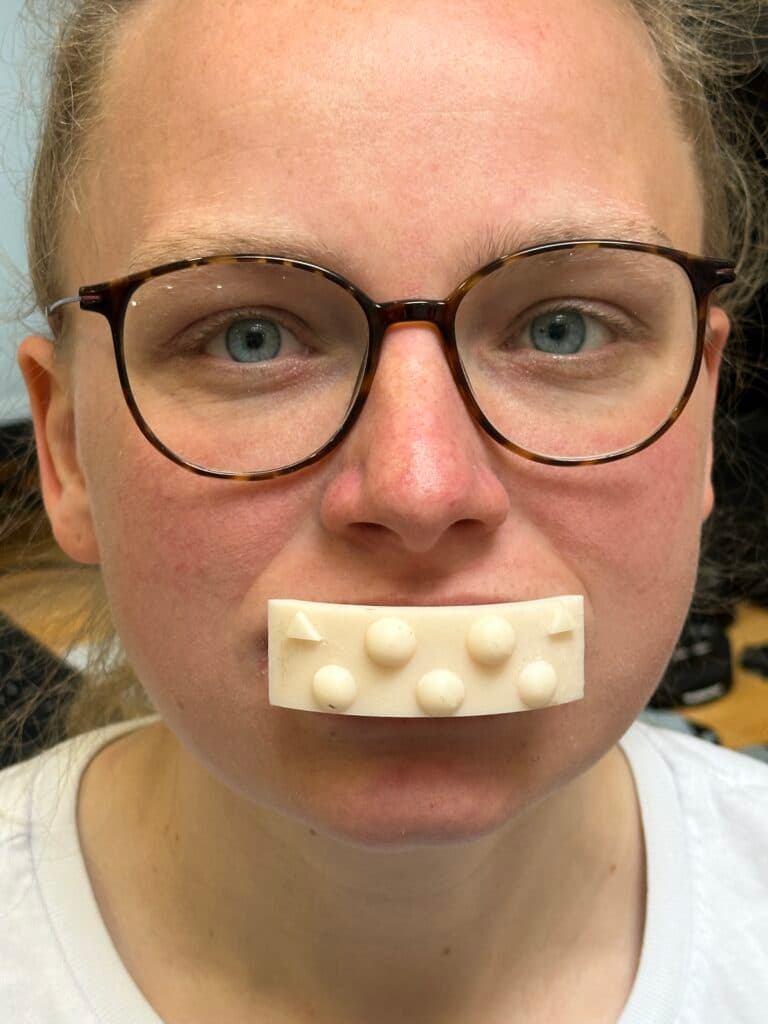
1 · Guided capture · markers automatic
Scan
Insert the scan body, position the patient, line up the iPhone. The app guides you step by step through frontal view, profiles and bite position and detects the markers on the scan body by itself.
Instead of bite fork and transfer bow: a guided 3D scan on the iPhone captures the skull and jaw relation, including ears and lateral regions. The result goes as a dataset to the lab or into your CAD software, where it is used for the articulator registration.
Developed by Dentsbay e. K. in Münster, Germany. Not tied to any lab: you choose your own lab.
1 · Guided capture · markers automatic
Insert the scan body, position the patient, line up the iPhone. The app guides you step by step through frontal view, profiles and bite position and detects the markers on the scan body by itself.
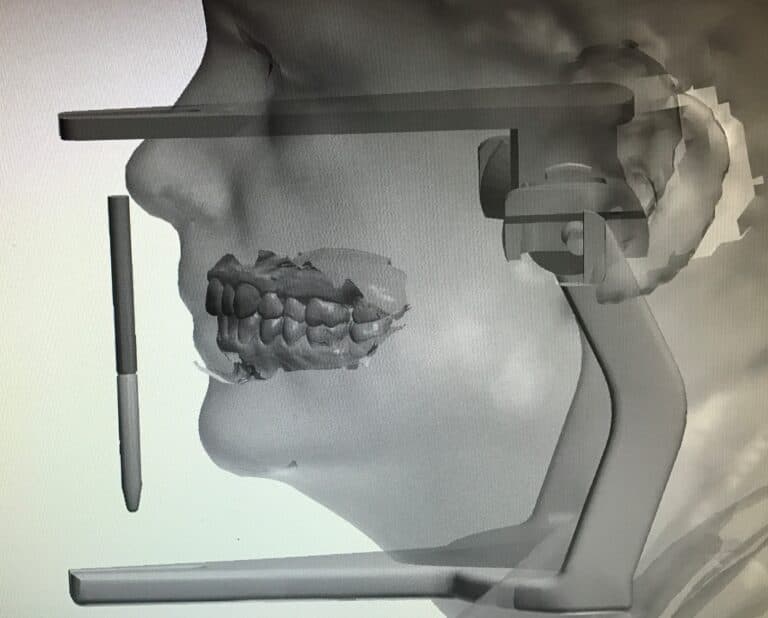
2 · On the device · no cloud
Photogrammetry, marker detection and alignment to the articulator run on the iPhone. No upload, no queue. Scans, photos and patient data stay on the device.
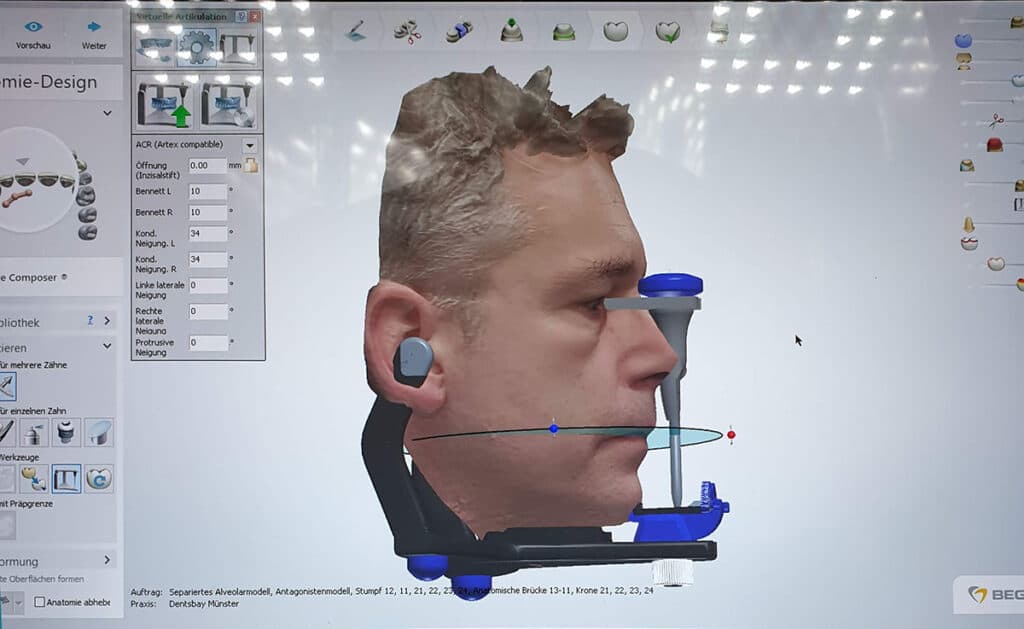
3 · DCAD-Inbox · exocad · 3Shape
With the face scan the case goes end-to-end encrypted to the lab you linked in the app; there DCAD-Inbox opens the case and articulates virtually. For data protection and file size this is the only route. Without the face scan you can also export the dataset by e-mail for exocad and 3Shape (PLY/STL with metadata).
Real footage from the iPhone: assign the scan body, set the reference points, choose the articulator and send. In the lab the face scan then sits correctly oriented in the articulator.
The video from the early days shows how a complete denture is made with a face scan. With digital-Facebow the same path works today with the bite fork and with a much better scan quality.
Everything else in the privacy policy, section App.
More answers, troubleshooting and contact in the support section.
The scan arrives end-to-end encrypted in the inbox, is trimmed, aligned to the articulator and goes to exocad or 3Shape in the correct orientation. Free, for macOS and Windows.
More about DCAD-Inbox →Questions about the app?
Requirements, troubleshooting, Android request and all questions about account and scans are in the support section. We usually reply within one working day.
To the support →